For families
The first time they show someone what they made, you're it
Aurelia gives your child a real place to make things, and gives you the final word on anything that leaves the family. It is built so that moment — sharing something they made — stays exactly as it should feel: a bit nervous, and safe.
What your child can actually do
A real studio, not a locked room
The protection sits around the experience, not instead of it. Your child gets genuine creative tools; you get the controls that keep it safe.
A place to make things
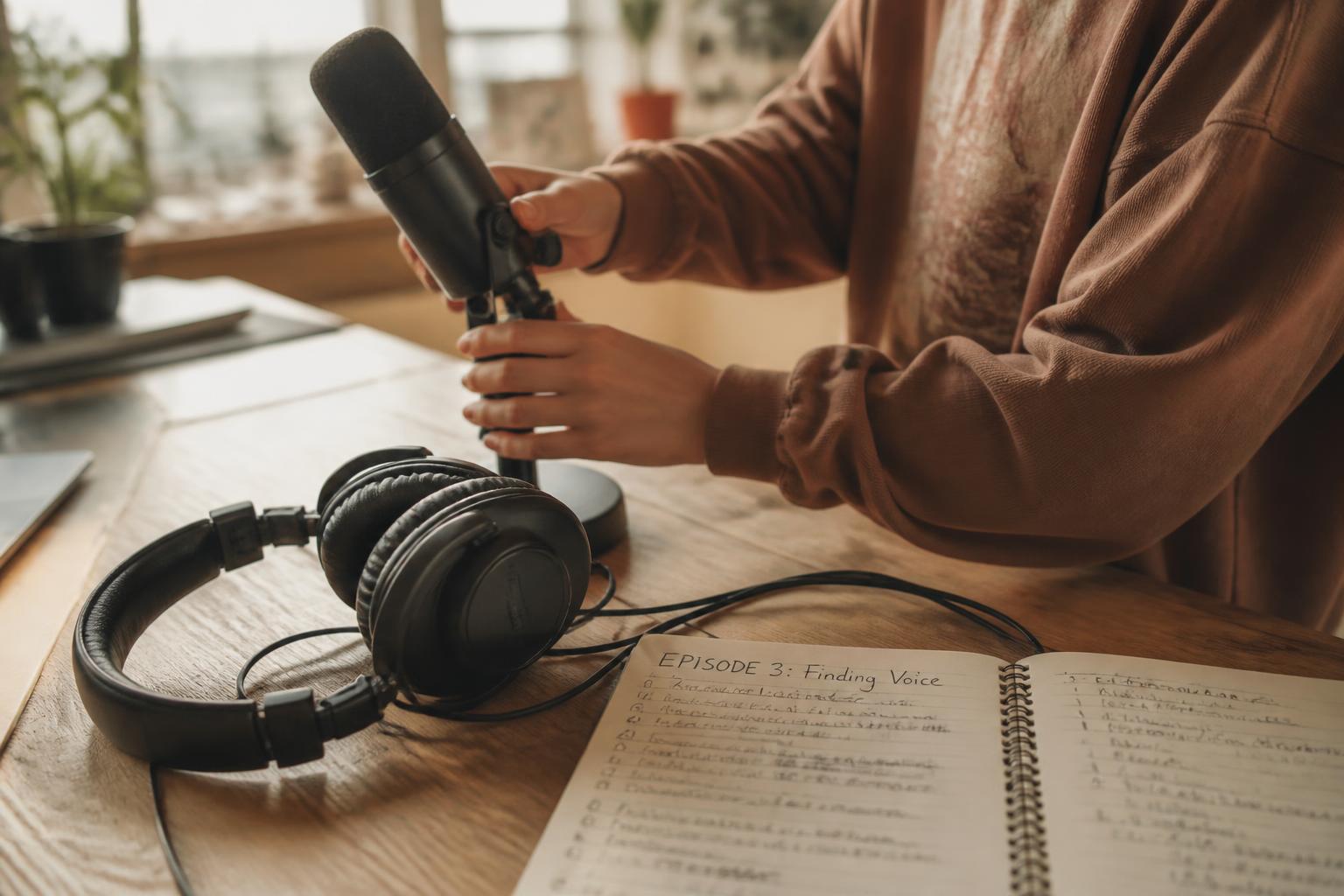
Your child uses the Creator Studio to produce podcasts, writing, art, film and games inside tools built for their stage of development — not a scaled-down adult app.
No open exposure
There is no public feed, no follower count and no open messaging. Whoever might see a piece of work is always a bounded, known group — family, class, club or a specific challenge.
Recognition that means something
Work put forward for the Achievement Passport is reviewed by a verified teacher, so the record your child builds reflects something an adult actually witnessed.

How guardian approval actually works
Nothing leaves the family without your yes
This isn't a one-time toggle buried in settings. It's a step that happens every time it matters.
- 01A request comes to youWhen your child wants to share or submit something beyond their own private space — to a class, a club, a challenge, or a specific contact — a request is sent to your guardian account. Nothing moves without it.
- 02You see what they madeYou are shown the actual piece of work, who it would be shared with, and why. Not a summary — the thing itself, in enough context to make a real decision.
- 03You approve or declineYou say yes or no. A decline is not a punishment inside the product — it simply means the work stays where it is, private to your child, until you're ready to say yes.
- 04You can withdraw laterApproval is not permanent. If you change your mind about a contact, a club or a piece of shared work, you can withdraw that permission at any time.
Their privacy, your oversight
Guardian status is not a master key
Children need somewhere to be messy, to try something and abandon it, to write a first version nobody sees. Your child's drafts stay private to them by default, the way a notebook in a drawer would. Being a verified guardian gives you decision rights over what leaves the family and sight of verified progress — it does not hand you a key to every unfinished page.
- You can see every piece of work your child has shared or submitted, and every decision you've made about it.
- You can see verified achievements on their Achievement Passport, and which teacher verified each one.
- You are not shown every private draft sitting in their own space — a child is allowed a sketchbook that isn't yours to read, the same way a paper notebook would be.
- The moment a child wants that private work to go anywhere — a class, a club, a challenge — it comes to you first.
What lands in a guardian account
A specific request, with the work attached
Approvals arrive as a decision to make, not a conversation to keep up with. Aurelia has no live parent–child chat and no real-time messaging; a request waits quietly until you answer it.
Share “Episode 3: Finding Voice” with Class 6B
- What it is
- A nine-minute podcast episode
- Who would see it
- Class 6B and their assigned teacher only
- Why
- Submitted against a class brief on local stories
- You can change your mind
- Withdraw this permission at any time
A static illustration of the approval card, not a live control and not a real child's work.
Drafts, abandoned ideas and work-in-progress notes remain in your child's own space unless they choose to put a specific piece forward.
Updates, events & visibility
One calm place to keep track, instead of a dozen notifications
For the adults around a young maker — parents, guardians, grandparents with permission — Aurelia is working toward a single, quiet view of what's coming up and what's already been achieved.
- A calendar view of class briefs, challenge deadlines and club sessions your child is part of, with reminders so nothing catches you by surprise. This is product direction we are building toward, not a description of every feature live today.
- Family visibility of the approvals you've made and the work currently shared beyond your family, kept in one place rather than scattered across notifications — designed as a single calm view, with parts of it still being built.
- A running view of Achievement Passport progress — what has been verified, and by whom — so you can see the shape of what your child is building over time. Verification itself is live; the at-a-glance family view is planned.
- None of this involves real-time messaging with staff or other families, and Aurelia does not connect to third-party calendar, school or messaging systems. Anything described here is designed to happen inside Aurelia itself.
Joining Aurelia
How a family joins
Aurelia does not allow open self-registration for children. A family joins through a verified invitation, so there is always a trusted party who vouches for the connection.
An invitation arrives
A school or education group sends an invitation, or a family requests one directly and is verified before access is granted.
The guardian account is verified
The adult who will hold guardian responsibility is verified first, and it is that account which controls every child profile linked to it.
Children are added by the guardian
The guardian creates each child's profile, sets initial permissions, and can add a second guardian to share oversight of the same child.
The things we left out on purpose
- No follower counts, no likes, no leaderboards — nothing that turns your child's work into a popularity contest.
- No adult can message your child directly. Contact permissions are set by you and can be withdrawn at any time.
- No advertising and no behavioural targeting of children. Aurelia does not build a profile of your child to sell attention against.
Not sure where to start?
Guides for families new to Aurelia
Practical ideas for a first project, and plain explanations of the guardian tools above, written for parents rather than developers.
Bring your family into Aurelia
Aurelia is invitation-only. Request access and we will guide you through verified guardian onboarding — or ask us anything first.